


7. Examples#
Here is an example of a very simple program that makes the robot’s TCP follow a square path, using the MoveLin command:
1 ActivateRobot
2 Home
3 MoveJoints(0,0,0,0,0,0)
4 MovePose(140,-100,250,0,90,0)
5 MoveLin(140,100,250,0,90,0)
6 MoveLin(270,100,250,0,90,0)
7 MoveLin(270,-100,250,0,90,0)
8 MoveLin(140,-100,250,0,90,0)
9 MoveJoints(0,0,0,0,0,0)
Figure 33 shows the result of four of the motion commands.
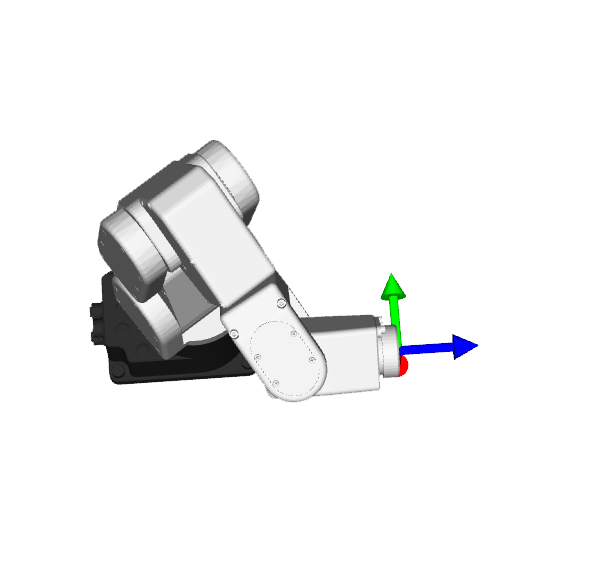 (a) MovePose(140,-100,250,0,90,0)
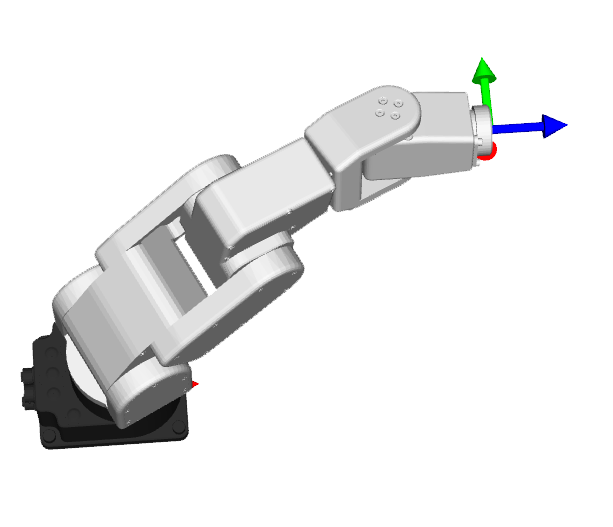 (b) MoveLin(270,100,250,0,90,0)
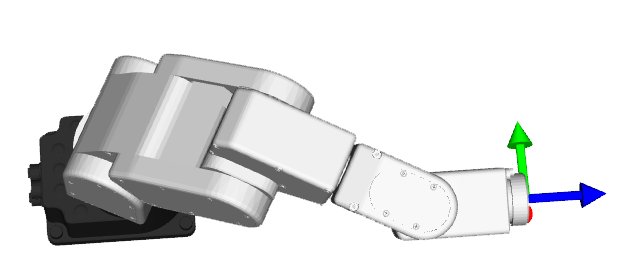 (c) MoveLin(270,-100,250,0,90,0)
(d) MoveLin(140,-100,250,0,90,0)
(c) MoveLin(270,-100,250,0,90,0)
(d) MoveLin(140,-100,250,0,90,0)
Figure 33 The four separate robot positions that define the motion sequence#