


MoveJoints#
This command makes the robot simultaneously move all its joints to the target joint set,
as fast as possible but subject to the limits set by the commands SetJointVel
and SetJointVelLimit. All joints start and stop moving at the same time, so
there is generally only one joint that moves at the joint velocity indirectly specified
in SetJointVel and SetJointVelLimit. The robot takes a linear
path in the joint space, but nonlinear in the Cartesian space. Therefore, the TCP
trajectory is not easily predictable (Figure 12). Finally, with
MoveJoints, the robot can cross singularities without any problem.
Syntax#
MoveJoints(θ1,θ2,θ3,θ4,θ5,θ6)
Arguments#
the target position of each joint, in degrees.
The default ranges for the robot joints are given in
Technical specifications of the robot’s user manual. Note that
these ranges can be further limited with the command SetJointLimits. The
target joints position must be within the allowable joint limits or else the command
will not be executed.
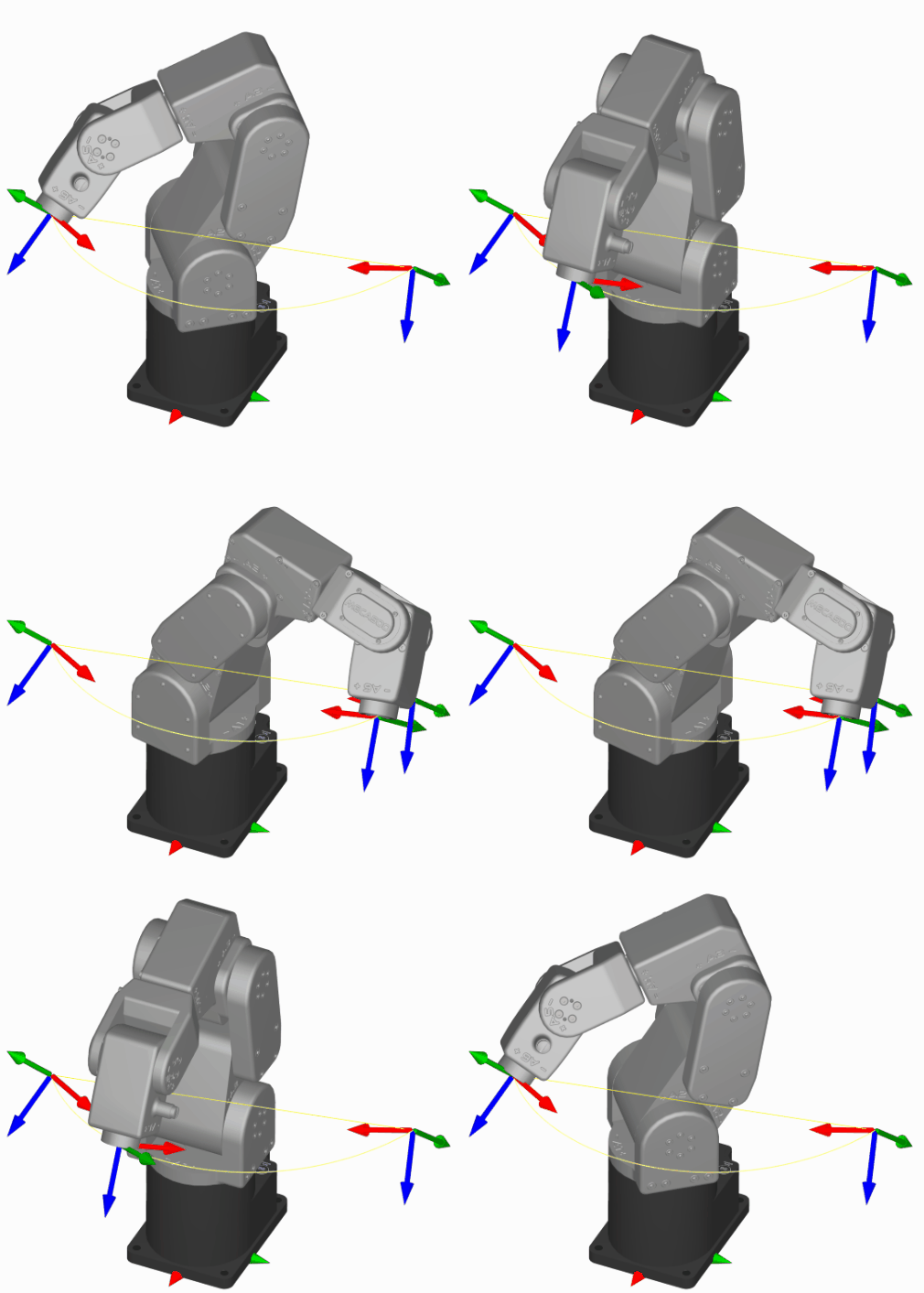 (a) MoveJoints
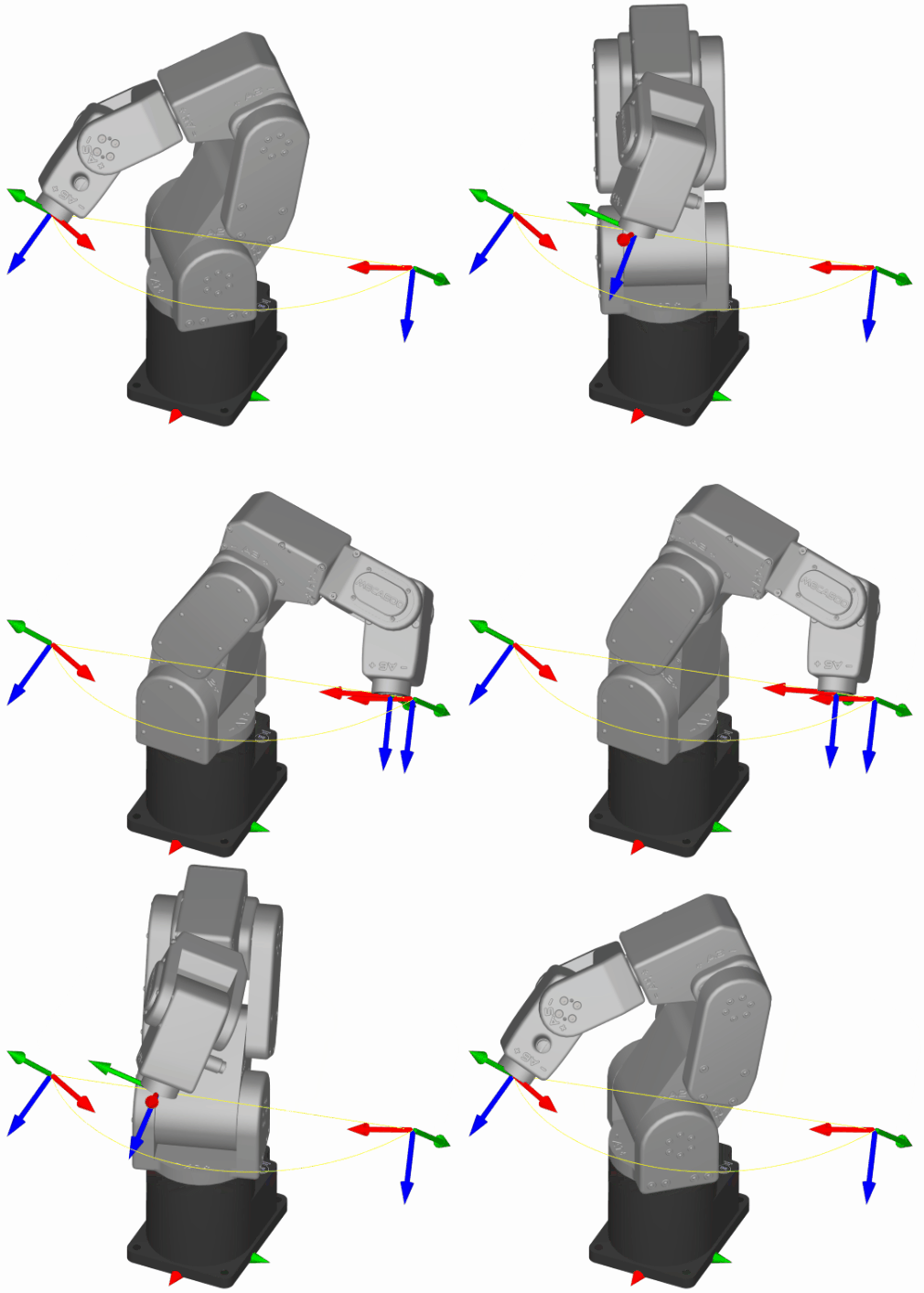 (b) MoveLin
Figure 12 An example showing the difference between a path that is linear in joint space (often referred to as a point-to-point motion) and one that is linear in Cartesian space (the TCP follows a line)#
Usage restrictions#
This command is added to the robot’s motion queue and can only be executed when the robot is ready for motion, not in an error state and when no safety signal conditions are present. Otherwise, the robot will report one of the following:
[1005][The robot is not activated.]
[1006][The robot is not homed.]
[1011][The robot is already in error.]
Cyclic protocols#
In cyclic protocols, the MoveJoints command is represented by
MotionCommandID 1. See Section 4.2 for more details.