


3. Designing and mounting the fingers#
Fingers must be designed and installed before mounting the MEGP 25* gripper on the Meca500. Designs must respect the measurements and maximum finger dimensions and loads provided in the following.
3.1. MEGP 25E mounting diagrams#
Figure 1 shows the MEGP 25E dimensions and the adapter plate provided. Each finger must be attached to the outer side of a gripper jaw using an M4X0.7 screw and two Ø1.5 mm locating pins.

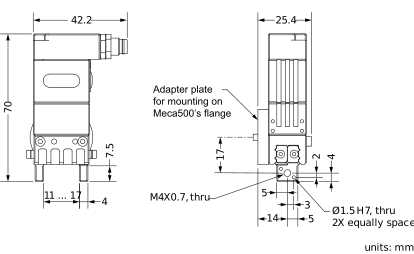
Figure 1 MEGP 25E gripper dimensions#
The maximum dimensions for the fingers and the maximum loads allowed on the gripper jaws are shown in Figure 2.

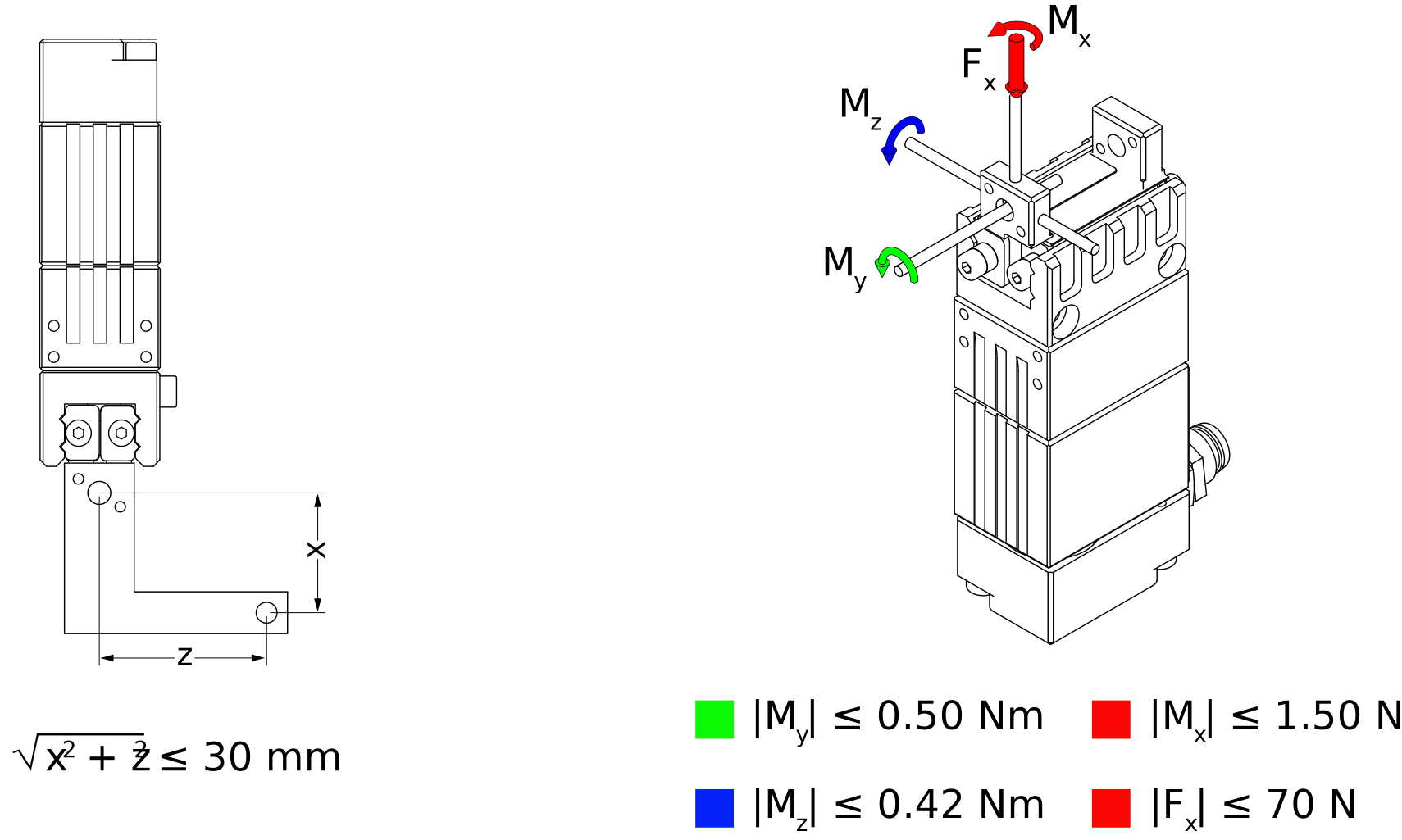
Figure 2 Maximum finger dimensions and finger loads for the MEGP 25E gripper#
Note
You can download the CAD file of the MEGP 25E gripper, its default adapter plate as well as its 90° optional adapter plate from here.
3.2. MEGP 25LS mounting diagrams#
Figure 3 shows the MEGP 25LS dimensions and the adapter plate provided. Each finger must be attached to the outer side of a gripper jaw using an M4X0.7 screw and two Ø1.5 mm locating pins.

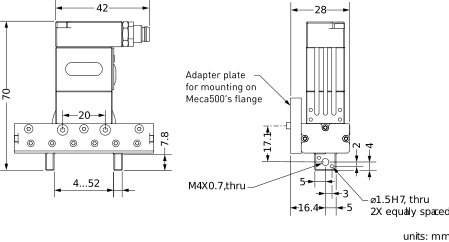
Figure 3 MEGP 25LS gripper dimensions#
The maximum dimensions for the fingers and the maximum loads allowed on the gripper jaws are shown in Figure 4.

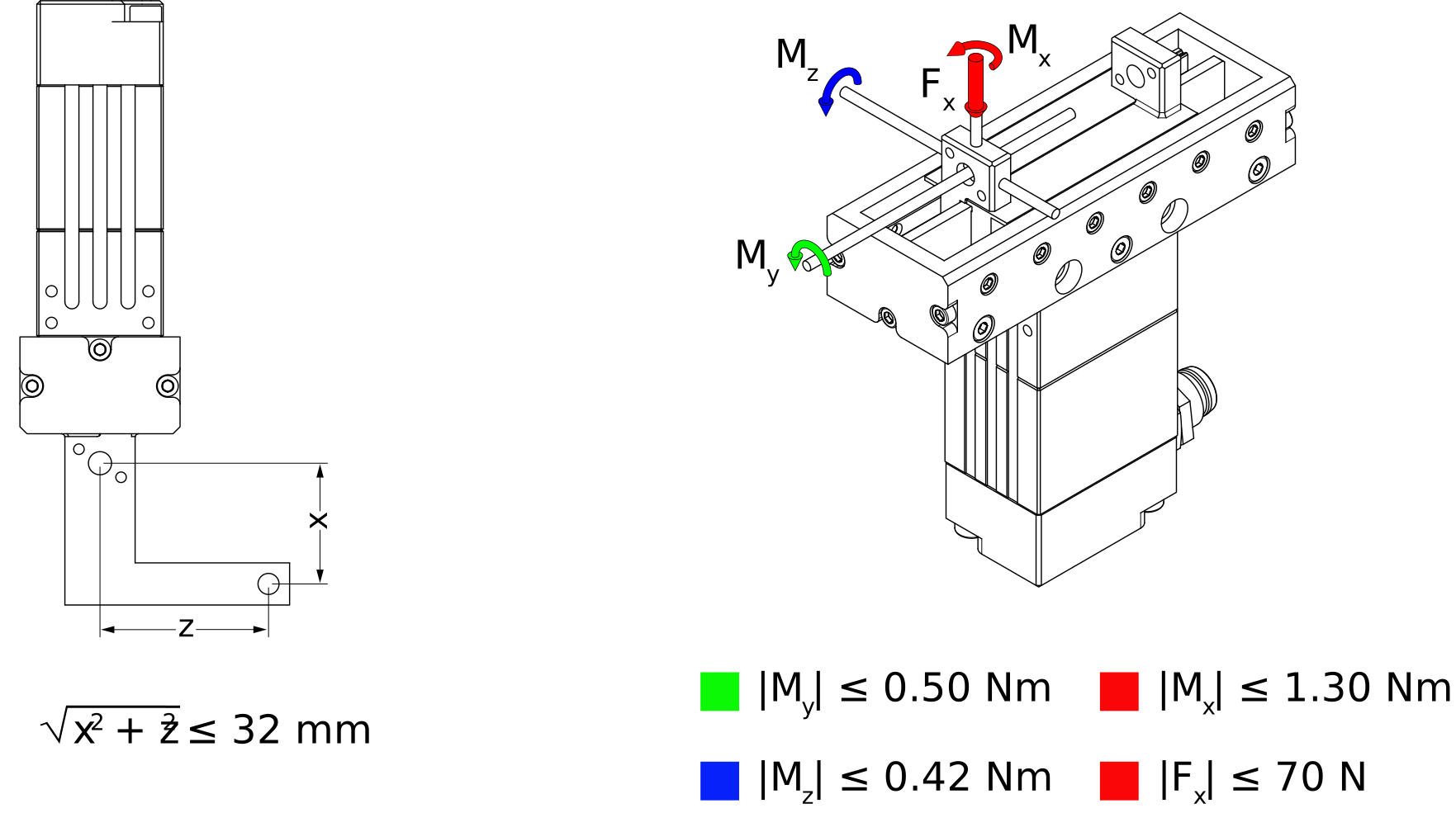
Figure 4 Maximum finger dimensions and finger loads for the MEGP 25LS gripper#
Note
You can download the CAD file of the MEGP 25LS gripper, its default adapter plate as well as its 90° optional adapter plate from here.